
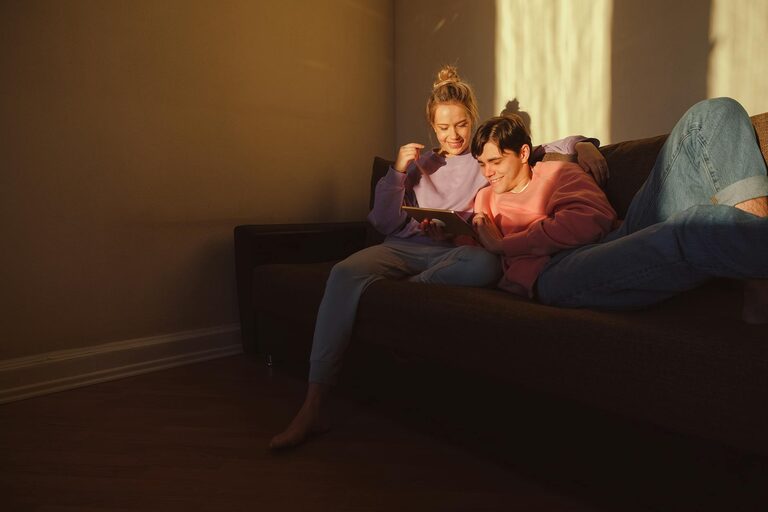
Enjoying an evening with your favorite screen — whether it’s a movie, a series, or gaming — can be a wonderful way to unwind. However, extended exposure to screens often leads to eye strain and discomfort. Planning a screen-light evening thoughtfully helps create a relaxing environment that protects your vision and enhances your experience. In this post, we’ll explore how to prepare and enjoy a screen-light evening at home, highlighting practical tips on lighting, screen settings, and comfort.
What Is a Screen-Light Evening?
A screen-light evening refers to a low-light setting where your screen remains the primary source of light. Instead of bright overhead lights, you focus on softer, ambient lighting that makes watching or working on screens comfortable for longer periods.
This contrasts with sitting in a dark room with only the screen’s light, which can cause eye fatigue. The goal is to balance the screen’s brightness with gentle background lighting to reduce glare and improve comfort.
Why Plan for Screen Light?
Spending time with screens is part of modern life, but it can have downsides. Key benefits of planning a proper screen-light environment include:
– Reducing eye strain: Proper lighting reduces contrast between the screen and surroundings, easing the eyes.
– Improving mood: Soft lighting creates a cozy and calming ambiance.
– Enhancing focus: Better lighting conditions help you stay alert without feeling overwhelmed.
Now, let’s break down the steps to create your ideal screen-light evening.
Step 1: Choose the Right Lighting
The lighting in the room significantly influences your comfort.
Use Ambient Lighting
Instead of harsh overhead lights or total darkness, opt for ambient lighting like:
– Floor lamps with warm bulbs
– Table lamps with dimmable features
– String lights or fairy lights for a decorative touch
The light should be soft and evenly distributed around the room, avoiding direct light hitting your screen or eyes.
Avoid Blue Light Harshness
Many modern screens emit blue light, which can disrupt sleep patterns. Use warm or neutral white light bulbs in your room and consider:
– Blue light filters on your devices
– Screen-protective glasses that block blue light
– Activating “night mode” or “eye comfort” settings on your devices
Positioning Your Lights
Place lights behind the screen or at angles that don’t create reflections or glare. A lamp behind your TV or monitor works well, casting soft light without interfering with the screen’s visibility.
Step 2: Optimize Your Screen Settings
Adjusting your screen settings can make a big difference.
Brightness and Contrast
Set your screen brightness to match the surrounding light. If the room is dim, lower your screen brightness slightly to avoid a stark contrast. Use automatic brightness adjustment if your device supports it.
Use Night or Blue Light Filters
Most smartphones, tablets, and computers have options to reduce blue light emission in the evening. Enabling these features helps reduce eye strain and supports your natural sleep rhythm.
Screen Position and Size
Position your screen so that it’s at or slightly below eye level, approximately 20 to 30 inches away. This prevents neck strain and keeps your gaze comfortable.
Step 3: Set Up Your Seating Area
Comfort is key to enjoying your screen-light evening.
Choose Comfortable Seating
Pick a chair or sofa that supports good posture. Consider adding cushions or a lumbar support pillow for extra comfort.
Keep Blankets and Snacks Nearby
A cozy blanket and your favorite snacks can make the evening more enjoyable without needing to get up frequently.
Control Room Temperature
Ensure the room temperature is pleasant—neither too hot nor too cold—to keep you comfortable while immersed in your screen activity.
Step 4: Plan Your Entertainment
Having a clear plan for your screen activity can make your evening more satisfying.
Select What to Watch or Play
Queue up movies, TV shows, or games ahead of time. Avoid searching endlessly for something to watch, as this can detract from relaxation.
Limit Multitasking
Focus on one screen activity rather than switching between tasks, which can increase eye strain and reduce enjoyment.
Schedule Breaks
Take short breaks every 30 to 60 minutes to rest your eyes.
– Look at something 20 feet away for 20 seconds (the “20-20-20” rule).
– Stretch or move around to improve circulation.
Step 5: Prepare Healthy Snacks and Drinks
To keep your energy up without feeling sluggish, prepare light, healthy snacks.
Snack Ideas
– Fresh fruit slices
– Nuts or trail mix
– Air-popped popcorn without too much butter or salt
Drink Ideas
– Herbal teas
– Water infused with lemon or cucumber
– Light fruit juice (in moderation)
Avoid heavy meals or too much caffeine late in the evening to help your body relax.
Step 6: Wind Down After Your Screen-Light Evening
After the main event, give your eyes and mind time to adjust before bedtime.
– Dim lights further or switch to candles to promote calm.
– Avoid screens for at least 30 minutes before sleep.
– Engage in relaxing activities such as reading a book, listening to soft music, or meditation.
Final Tips for a Successful Screen-Light Evening
– Test your setup before the evening: Make sure lighting and seating feel right.
– Keep cords and remotes organized: Reduce clutter to avoid distractions.
– Personalize your space: Add touches like plants or artwork to make your viewing area inviting.
– Adjust based on your needs: Everyone’s eyes react differently, so listen to your comfort cues and tweak as needed.
Conclusion
Planning a screen-light evening is about balancing screen visibility with comfortable surroundings to protect your eyes and improve your mood. By choosing the right lighting, optimizing your screen settings, creating a cozy seating area, and planning your entertainment thoughtfully, you can enhance your screen time and enjoy it fully without discomfort. Try these tips for your next evening at home and see the difference thoughtful planning can make!